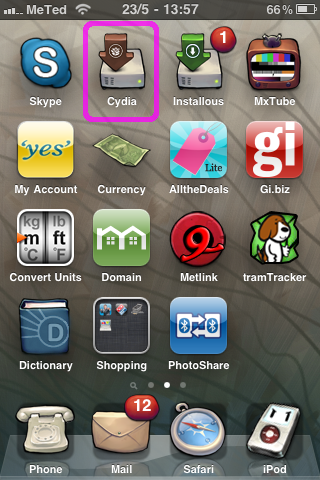
STEP 1:
Click on Cydia.
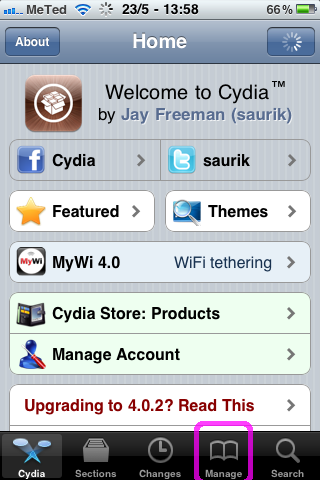
STEP 2:
Select "Manage" from Cydia.
Select "Manage" from Cydia.
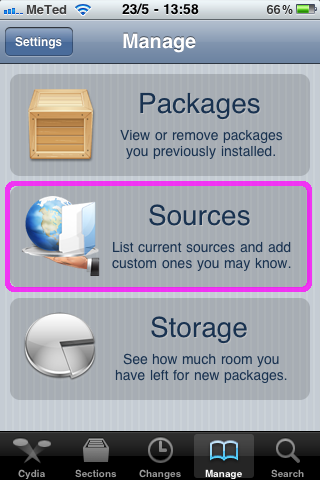
STEP 3:
Press the "Sources" button.
Press the "Sources" button.
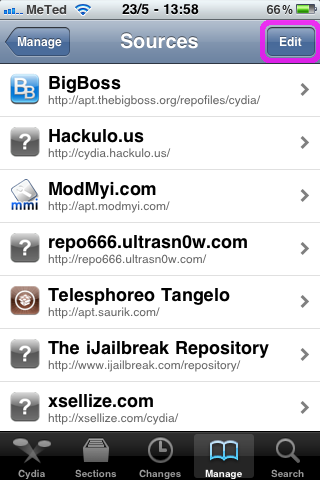
STEP 4:
Press the "Edit" button.
Press the "Edit" button.
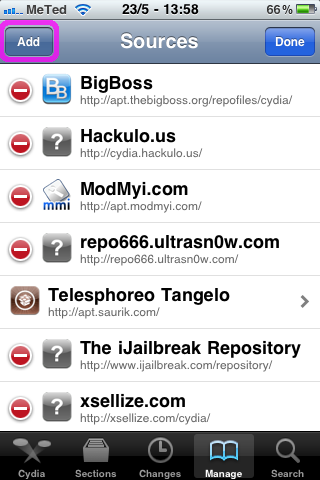
STEP 5:
Press the "Add" button.
Press the "Add" button.
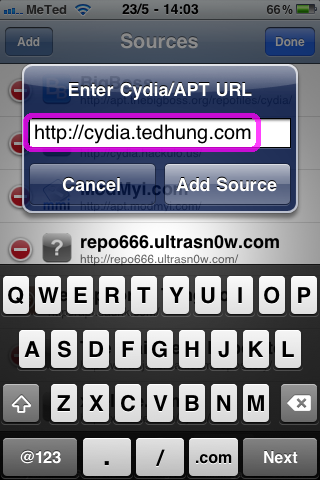
STEP 6:
Type "http://cydia.tedhung.com" in the dialog box.
Type "http://cydia.tedhung.com" in the dialog box.
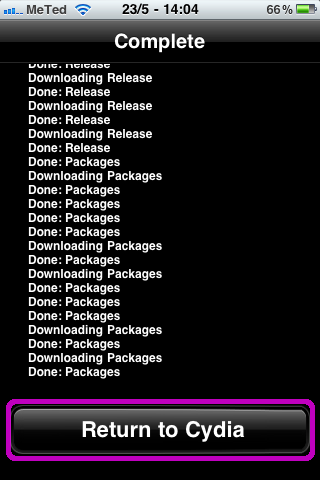
STEP 7:
Wait for the repository to download and select "Return to Cydia" once it is done installing.
Wait for the repository to download and select "Return to Cydia" once it is done installing.
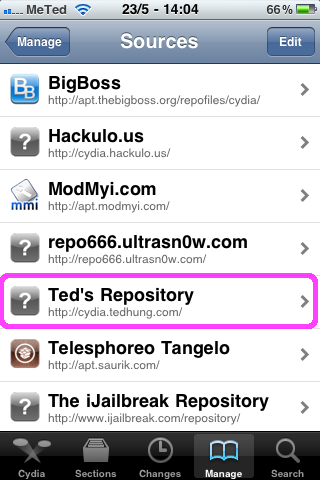
STEP 8:
Select "Ted's Repository" from the list of Sources.
Select "Ted's Repository" from the list of Sources.
STEP 9:
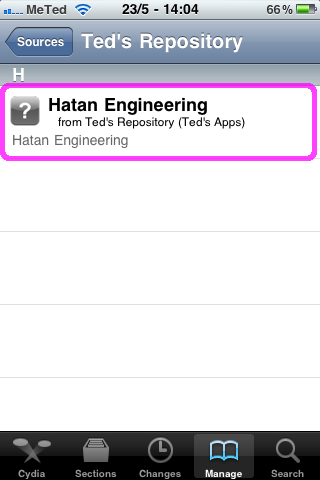
Select "Hatan Engineering" from the repository.
Select "Hatan Engineering" from the repository.
STEP 10:
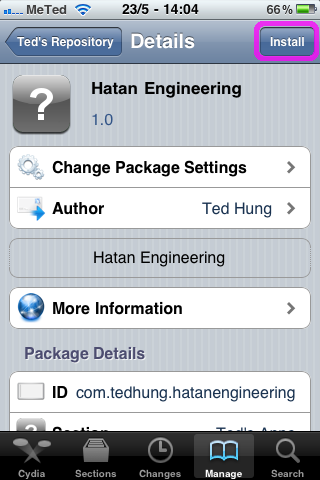
Press the "Install" button.
Press the "Install" button.
STEP 11:
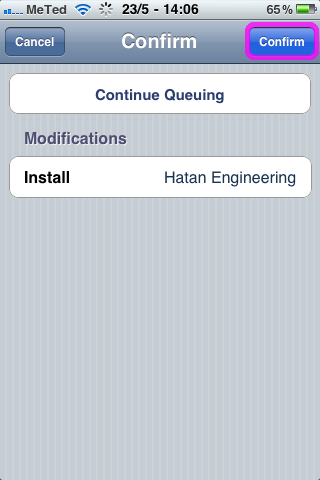
Press the "Confirm" button to add the app to Installous.
Press the "Confirm" button to add the app to Installous.
STEP 12:
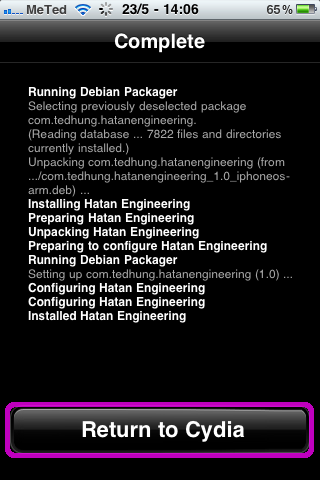
Press "Return to Cydia" once the install is finished.
Press "Return to Cydia" once the install is finished.

STEP 13:
Click on "Installous".
Click on "Installous".
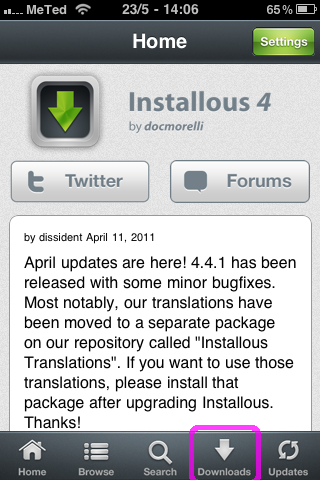
STEP 14:
Click on "Downloads".
Click on "Downloads".
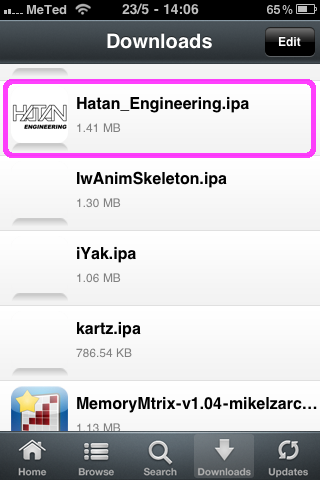
STEP 15:
Select "Hatan_Engineering.ipa".
Select "Hatan_Engineering.ipa".
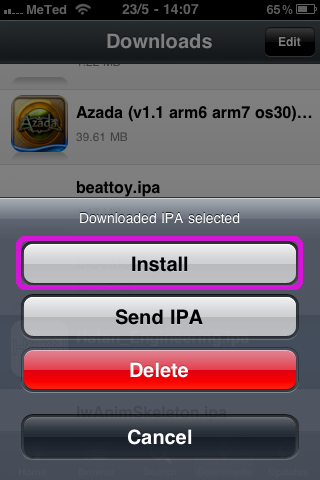
STEP 16:
Press the "Install" button.
Press the "Install" button.
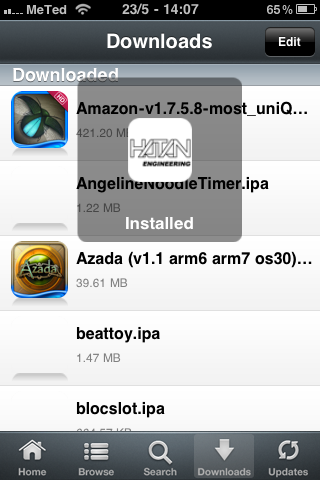
STEP 17:
Wait for Installous to say that the app is installed.
Wait for Installous to say that the app is installed.
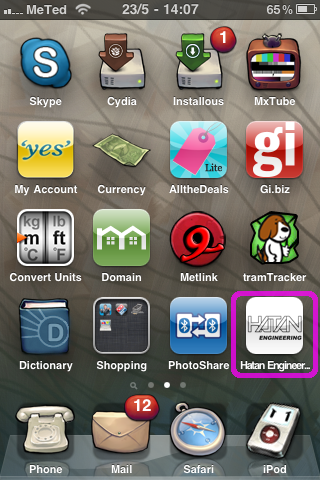
STEP 18:
Exit Installous and check that the "Hatan Engineering" app is installed!
Exit Installous and check that the "Hatan Engineering" app is installed!